Time Portal - User Registration
Before you can log in to Time Portal on your computer or mobile device. You need to register. Your administrator will initiate the registration process by sending an invitation via email. (see fig 1).
Registration email
To start, look for the registration email in your inbox.
- Open (and read) the email
- Click 'Register'
Figure 1.
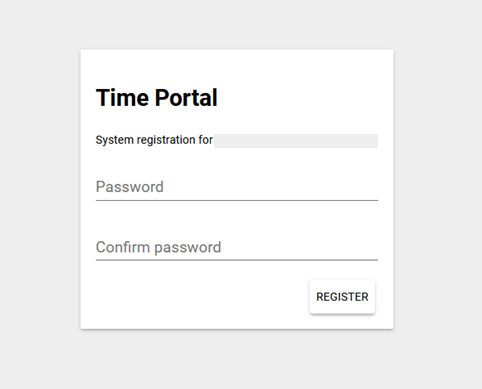
Time Portal - Registration
Create a password and then renter it to confirm (see fig 2).
- Enter 'password'
- Confirm 'password'
- Click 'Register'
Figure 2.
Time Portal - Login
Login URL
Note your 'Username' is your registered email address (see fig 3).
- Enter 'username'
- Click 'Next'
Figure 3.
Your password is the password created on registration (see fig 4).
- Enter 'password'
- Click 'Login'
Figure 4.
Mobile registration process demonstration video
Comments
0 comments
Please sign in to leave a comment.